CommentHide hides scam, spam and negative comments under your Facebook and Instagram ads, including dark posts, and keeps price and booking questions. Unsure comments wait in a review queue, every hide is logged with its reason and can be undone, and deleting stays off until you switch it on. Here is every feature, with dashboard screenshots.
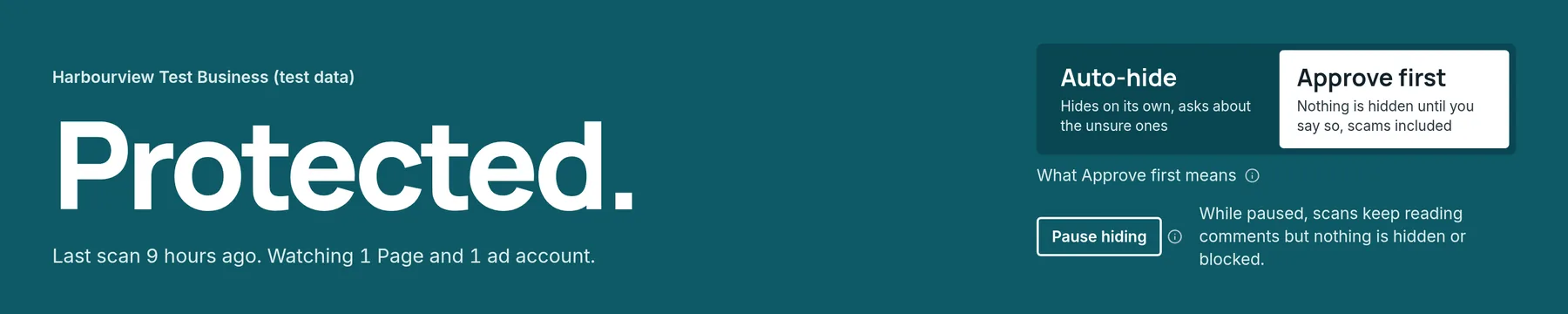
Screenshots show the CommentHide dashboard with sample data.
Rules and industry presets
Start from a preset for your industry, add block, keep and review phrases, and test or simulate any change before it goes live.
Review queue
Ambiguous comments wait for you instead of being hidden, unless strict mode is on. Hide or keep them in one click, alone or in bulk.
Undo and the panic button
Undo a whole scan, everything one rule did in the last 24 hours, or a single comment. Pause hiding with one click.
Inbox and AI replies Opt-in
Every comment in one inbox with the ad it sits under, saved replies and AI drafts a manager approves.
Reports and alerts
Outcomes by rule, Page and ad, a protected ads report with spend, a white-label client report and instant alerts.
Team, roles and agencies
Unlimited users, five roles, access limited to chosen clients and Pages, client connect links and copy rules between clients.
Dark post comments
CommentHide starts from your ads, so comments on posts that never appear on your Page are covered.
Instagram ad comments
The same rules cover the Instagram media behind each ad, not just the Facebook post.
New in October 2026
- Filters (Starter and up): hide any comment with an image or GIF, any comment that tags other people, or any comment with an email address or phone number. Each is off by default. Leads often leave a number, so think before switching on the last one.
- Hold every new comment (Starter and up): every new comment, even praise, is hidden on arrival and waits until a person keeps it.
- Turn comments off (Pro and up): turn comments off and back on per post or ad from Coverage. Instagram turns comments off for real. Facebook has no supported switch, so a Facebook post is put on hide-all instead.
- Commenter labels (Pro and up): label a commenter Troll, VIP, Customer or your own label, then use the label in rules.
- Team inbox and translation (Pro and up): assign comments, label them and mark them done. Translate comments, and translate your reply into the commenter’s language.
- Better replies (Pro and up): up to 10 versions of a saved reply used in turn, {mention} to tag the commenter, a random delay for automatic replies, and editing a reply after it is sent.
- Insights (Pro and up): sentiment by day and the top topics in negative and review comments, with a CSV download and a weekly summary.
- Microsoft Teams and push alerts (Pro and up): send alerts and digests to a Teams channel, and turn on push alerts on your phone or computer.
- API and MCP server (Agency): API keys to read your data and hide or unhide comments, plus a read-only MCP server so an AI assistant can search your comments and reports.
- Single sign-on (Agency Scale): SAML or OpenID Connect for your email domain.
Hides by default
Deleting cannot be undone, so CommentHide hides by default and any hide can be reversed. Deleting and AI replies are there too, but each one is off until you switch it on, and no rule, preset or scan ever deletes a comment. Ban author is a manual button you click on a Facebook comment in the review queue, and one click undoes it. It works when Meta shares who the commenter is; otherwise you can still hide the comment. Separately, on Pro plans and up, Auto-block blocks people on Facebook automatically once their comment is hidden. By default it blocks for scams, and its spam and abuse, clearly negative and repeat offender options (2 or more hidden comments on a Page in 30 days) follow the scam setting until you change them. It never blocks your own Page or anyone on your Never block list, nobody is blocked in dry run or while protection is paused, and an admin can switch each option off, or make blocks wait for approval, under Settings, Client and brand, Auto-block. Instagram comments are only hidden.
A classifier that knows a lead from a complaint
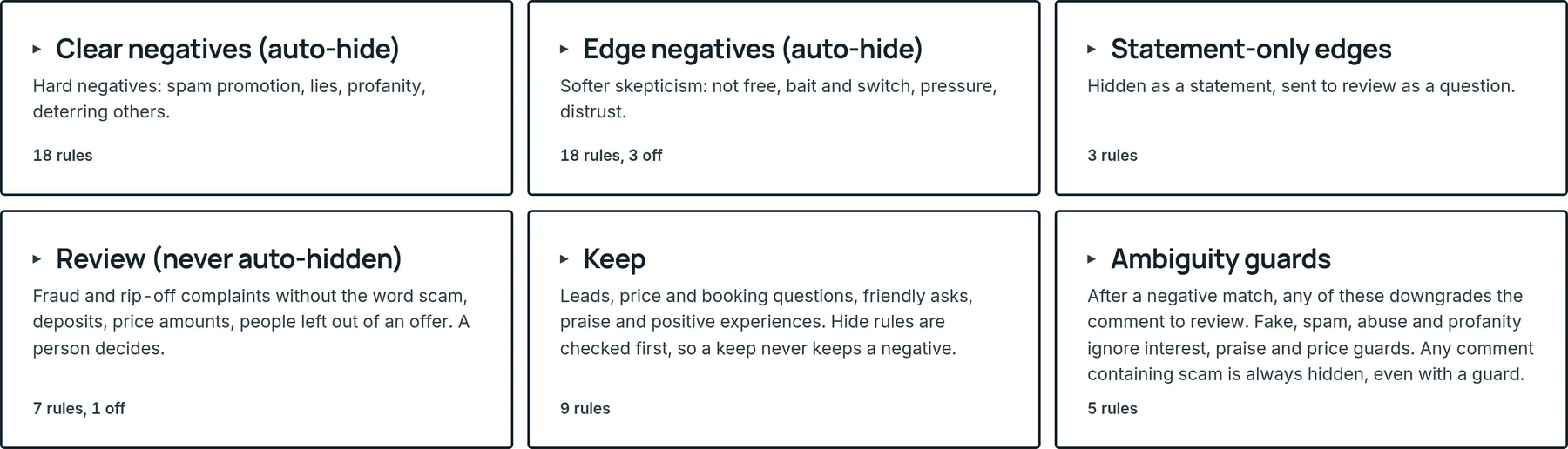
Every comment is sorted into clear negative, edge negative, review or keep. Price, booking and stock questions are kept. Every action carries its reason, such as Clear negative: Scam or fraud accusation (“rip-off”).
Review queue
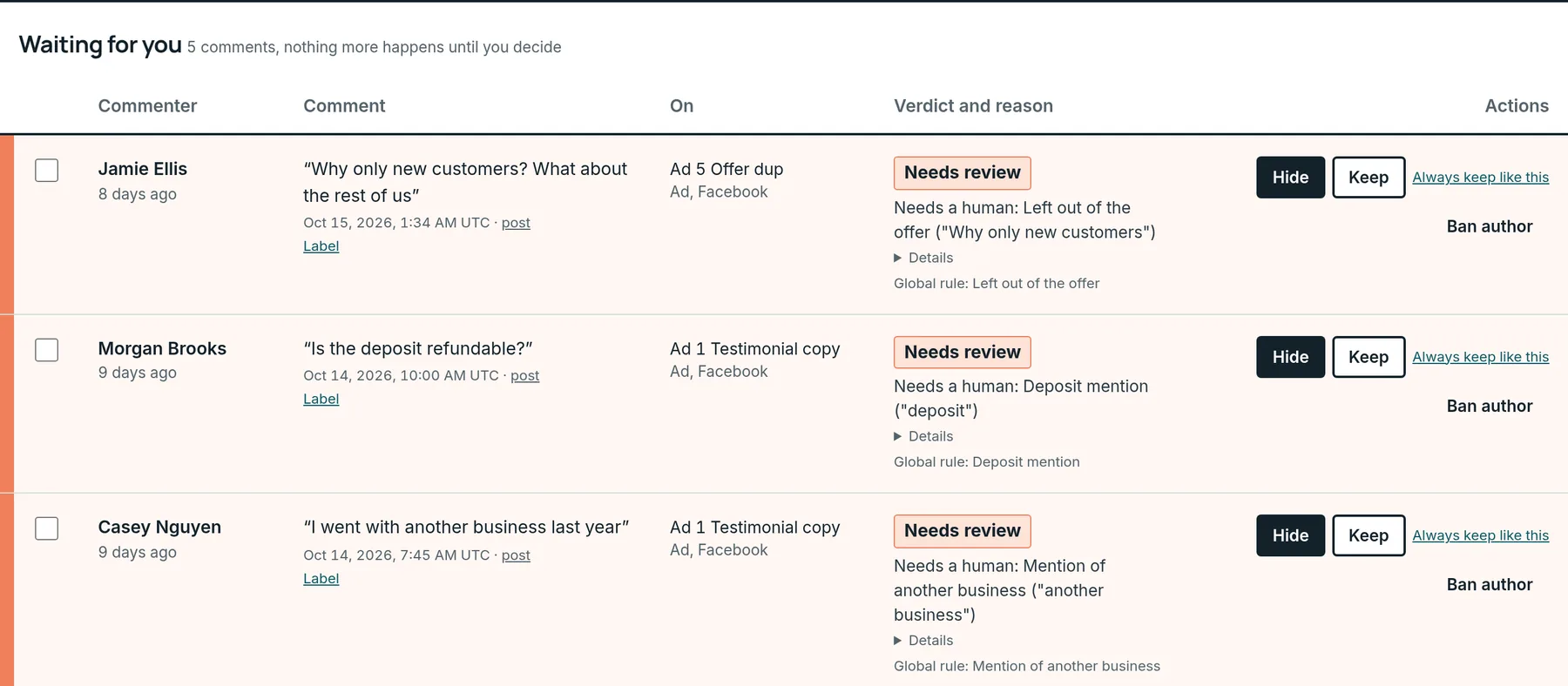
Some comments are judgment calls, like “Is the deposit refundable?”. CommentHide never guesses on those. They wait in the review queue for a person.
What you can do
- Hide or Keep a comment in one click.
- Always keep like this teaches a phrase so similar comments are kept next time.
- Select several and use Hide selected, Unhide selected or Keep selected.
- Switch tabs to see Hidden, Would hide (dry run), False positives and Kept.
- Export actions CSV for your records.
Reasons and AI suggestions
Every comment shows the reason and the rule, and a second AI opinion with a confidence score, such as “AI suggests review (65%)”. The AI suggests. You decide.
On your phone
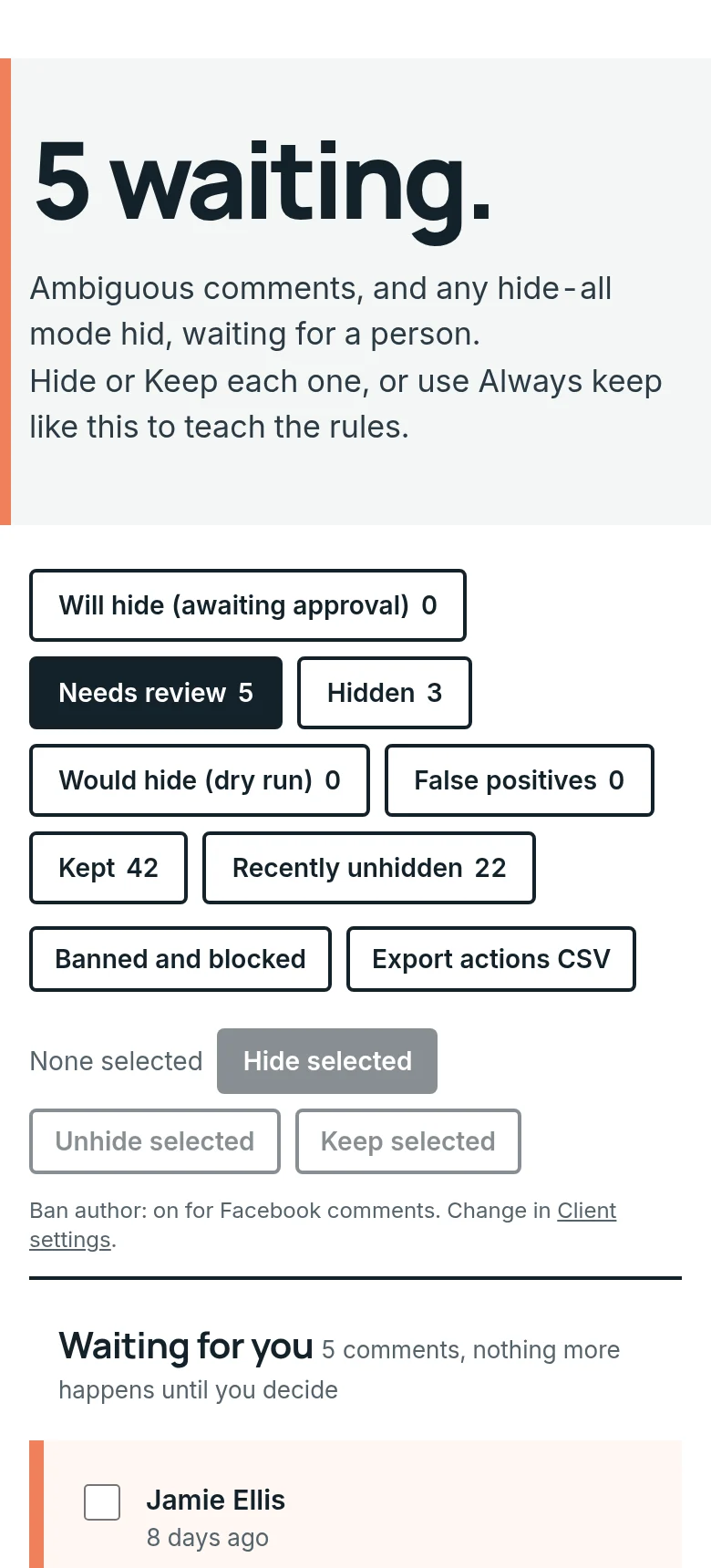
How-to: work the review queue.
Undo and the panic button
Automation should be easy to reverse. CommentHide logs every action with its reason, and gives you several ways to undo.
The panic button
Pause hiding on the overview, or Pause in the sidebar, stops every automated hide straight away for that client. Scans keep classifying, so nothing is missed while you look.
Undo a scan
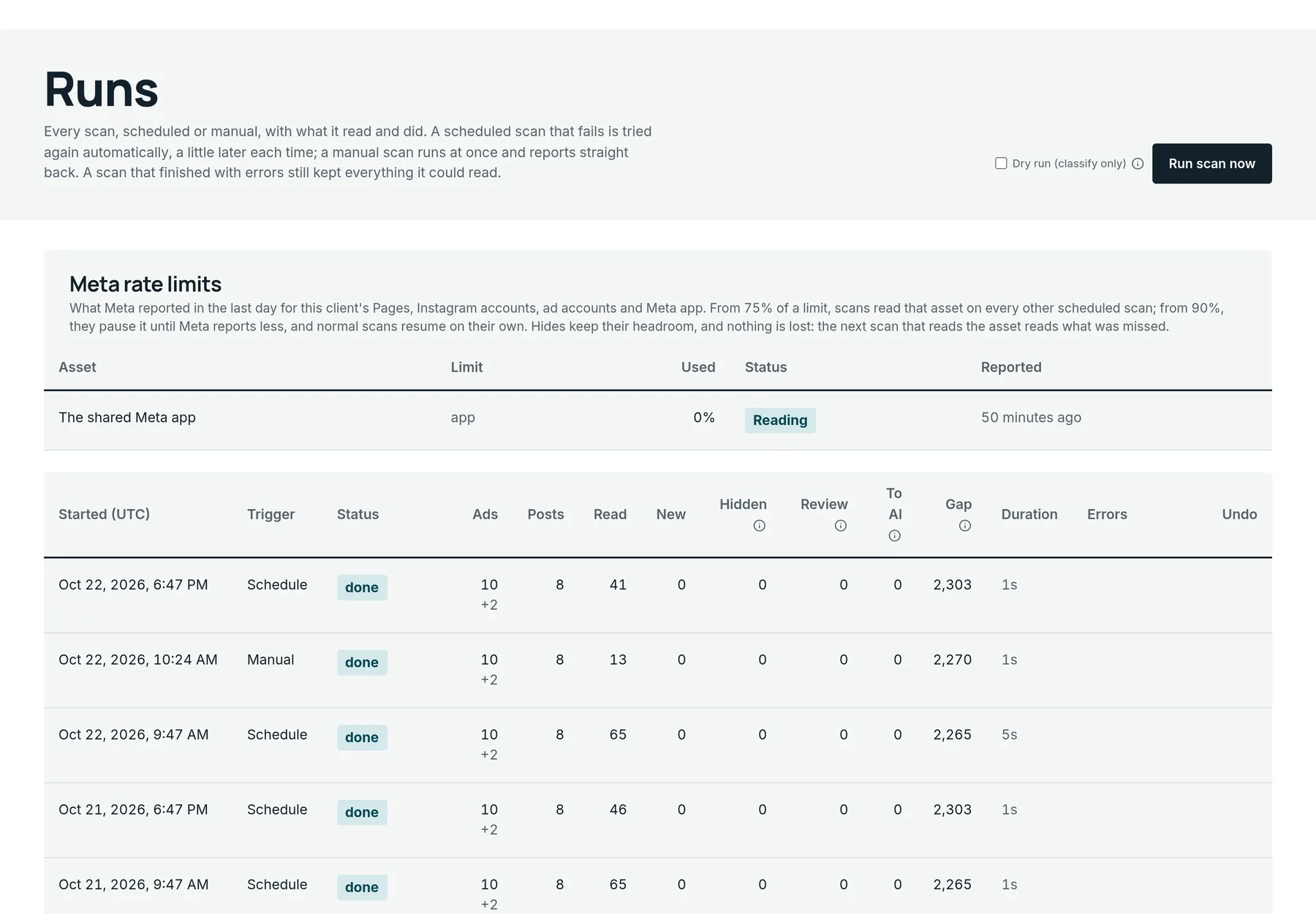
The Runs page lists every scan, scheduled or manual. Undo hides reverses every hide from that scan.
Undo a rule
In Reports, each rule has Undo 24h, which reverses the hides that rule caused in the last 24 hours. It never touches hides a person made.
Undo one comment
Unhide any comment from the Hidden tab of the review queue. Mark it as a false positive and CommentHide suggests a keep phrase so it does not happen again.
Activity log
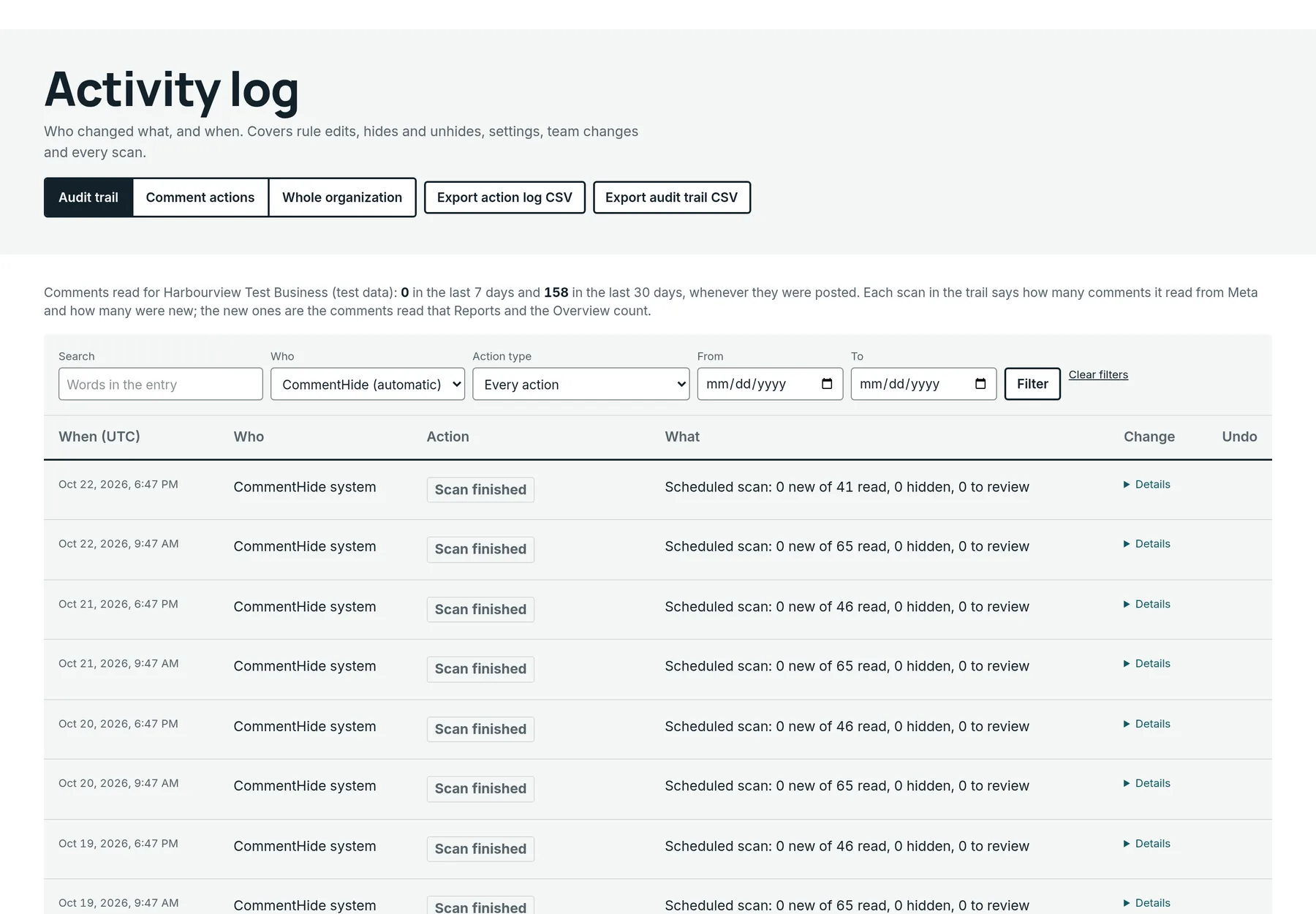
Every rule edit, hide, unhide, setting and team change is recorded with who did it and a before and after. Export it as CSV.
Deleting is the one action that cannot be undone, which is why it is off by default and asks for confirmation every time.
How-to: undo hidden comments, use the panic button.
Checked several times a day on every paid plan
CommentHide checks your ads and posts for new comments several times a day, around the clock, and you can also run a scan at any time. Real-time hiding, which checks a comment as soon as Meta reports it, is built and will switch on once Meta approves it.
A history scan when you connect
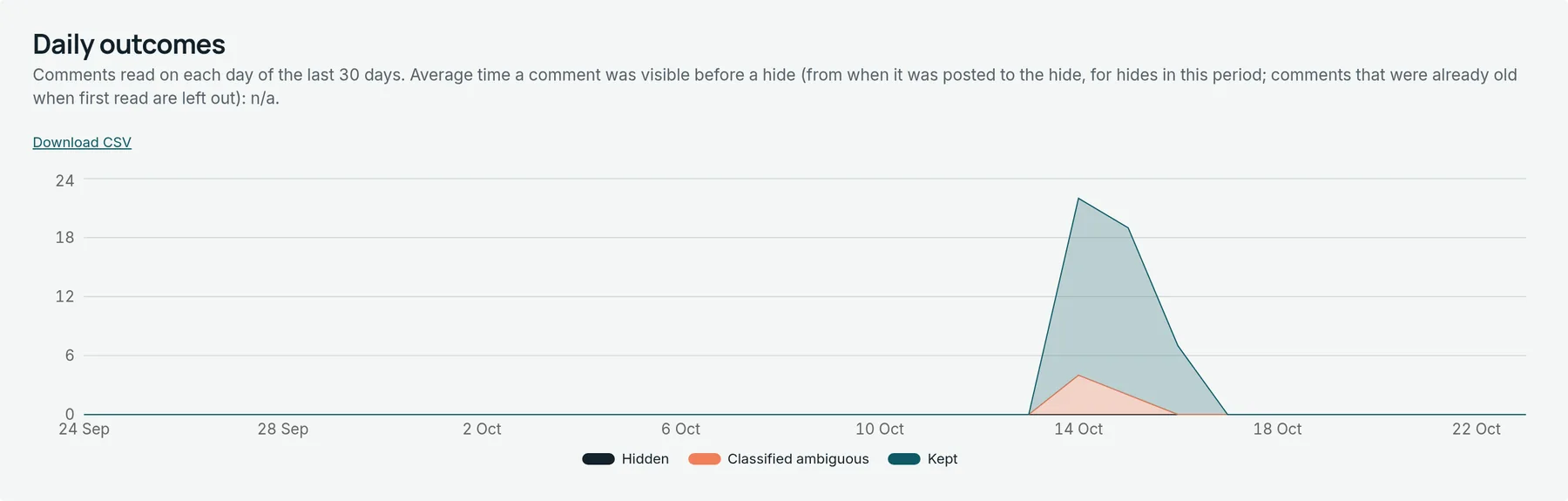
When you connect, CommentHide reads up to 500 comments from the last 30 days on your ads and shows what it would have hidden, kept or sent to review. Nothing is hidden during this first scan, so you see the value on day one before anything changes.
Honest about limits
Meta does not return every comment through its API. The coverage page shows the Pages CommentHide cannot see and the gap between Meta’s comment count and what it returns. Read about coverage.
Security built in
Two-factor sign-in, session control, encrypted tokens, a full activity log with before and after for every change, and self-service deletion of your account, a client or the whole workspace. Security and data.
Coming later
- TikTok Ads comments (coming soon).
- A direct message inbox, YouTube and Threads.
- Outgoing webhooks for the API.
- Importing your website into the knowledge base.
Frequently asked questions
Does CommentHide delete comments?
No. CommentHide hides by default, and any hide can be reversed. Deleting is off until you switch it on, and no rule, preset or scan ever deletes a comment.
Will it hide comments from people asking about price?
No. Price, booking and stock questions are kept. Comments that are not clearly negative are not hidden on their own; they wait for you to decide. The exception is strict mode, which, if you switch it on, hides every new comment until a person keeps it.
Can I undo a hide?
Yes, on every plan. You can undo a whole scan, everything one rule did in the last 24 hours, or a single comment. From Starter up, Pause hiding stops all hiding in one click.
Does it cover Instagram ads and dark posts?
Yes. CommentHide starts from your ad accounts and finds the post behind each ad, so comments on dark posts that never appear on your Page are covered, on the Facebook post and the Instagram media behind the ad.
What happens when I first connect?
A history scan reads up to 500 comments from the last 30 days and shows what CommentHide would hide, so you can check its choices. New comments are then checked as they arrive.
Need help with a feature? See the help center.
Research and comparisons
The numbers behind CommentHide are published: our study of 4,179 ad comments, ad comment statistics, how the study was run and why the Meta API can show fewer comments than the ad. To weigh up other tools, see how CommentHide compares.
Want your ad comments cleaned up automatically? Connect your Facebook and Instagram ad accounts and the first scan runs straight away.