CommentHide connects to your Meta ad accounts, finds the post behind every ad and reads each new comment. Negative comments are hidden on Facebook and Instagram. Questions, leads and anything it isn’t sure about are left for you. Here is each step.
1. Connect your Meta account
Create your account with Google or your email, then choose Continue with Facebook (during setup or under Settings > Connections) and pick the Pages, Instagram accounts and ad accounts to protect. What access we ask for. When you connect, CommentHide scans the last 30 days of comments, so older negatives are dealt with too.

2. Choose a preset
Pick your industry preset, such as portrait photography, and add any phrases specific to your business. You can test any phrase before it goes live. Rules and presets.
3. CommentHide finds your ads
It lists every live ad plus ads paused or edited in the last 14 days, and finds the Facebook post and Instagram media behind each.
4. It reads and classifies every comment
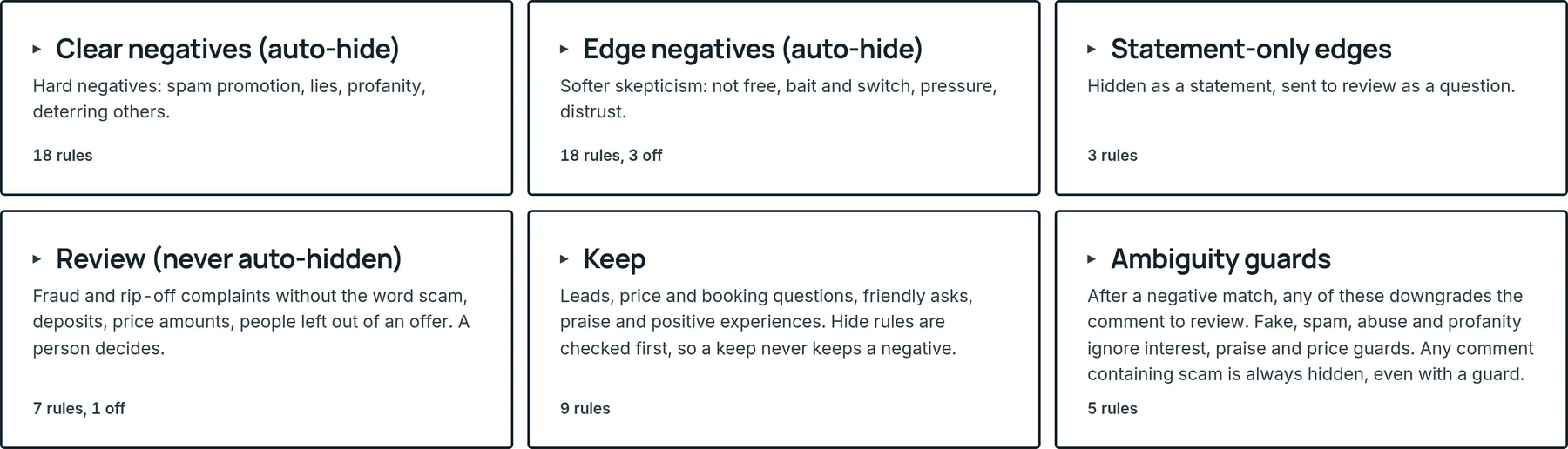
Each new comment is sorted into:
- Clear negative: hidden.
- Edge: negative in tone, hidden.
- Review: ambiguous, not hidden automatically. You decide.
- Keep: questions, leads and positive comments.
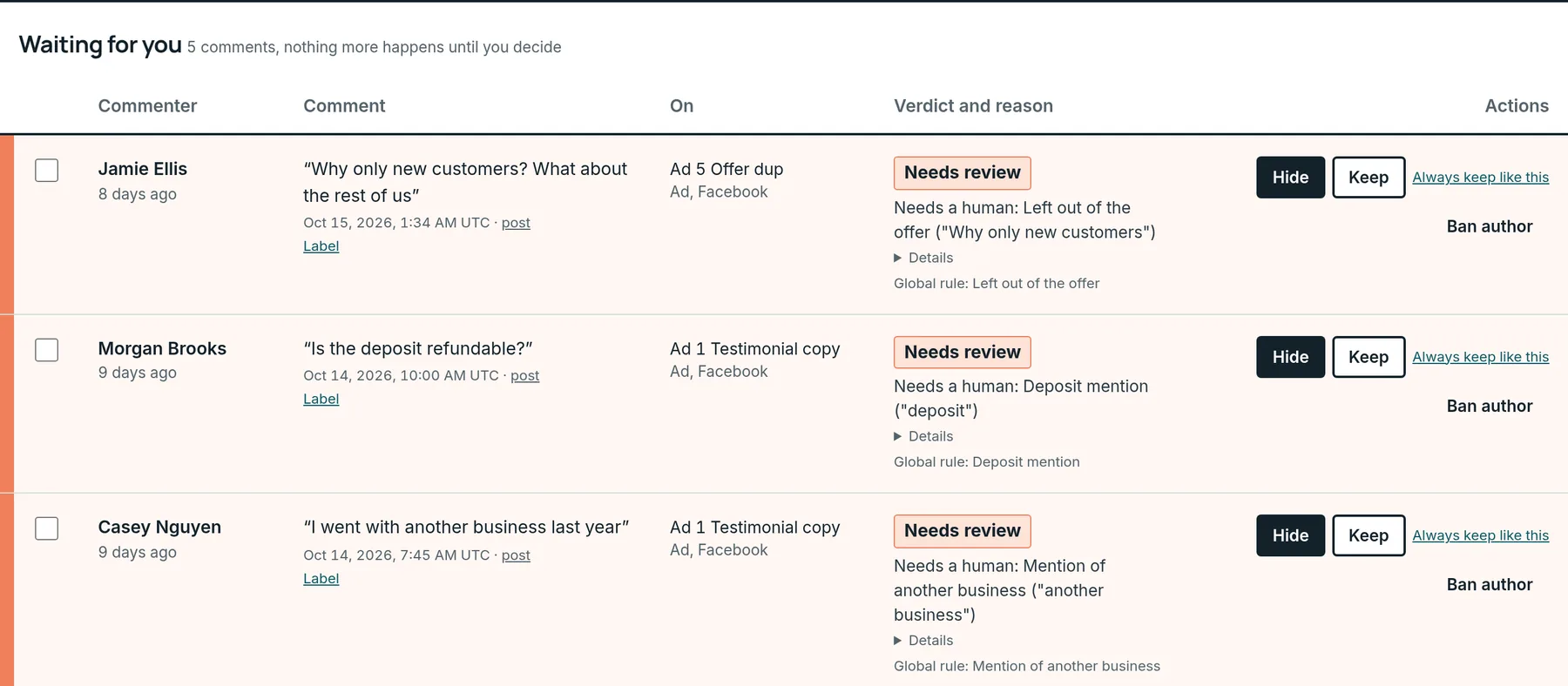
Comments in Review wait in a queue with the reason they were flagged. Hide, keep, or tell CommentHide to always keep comments like it. The review queue.
5. It hides rather than deletes
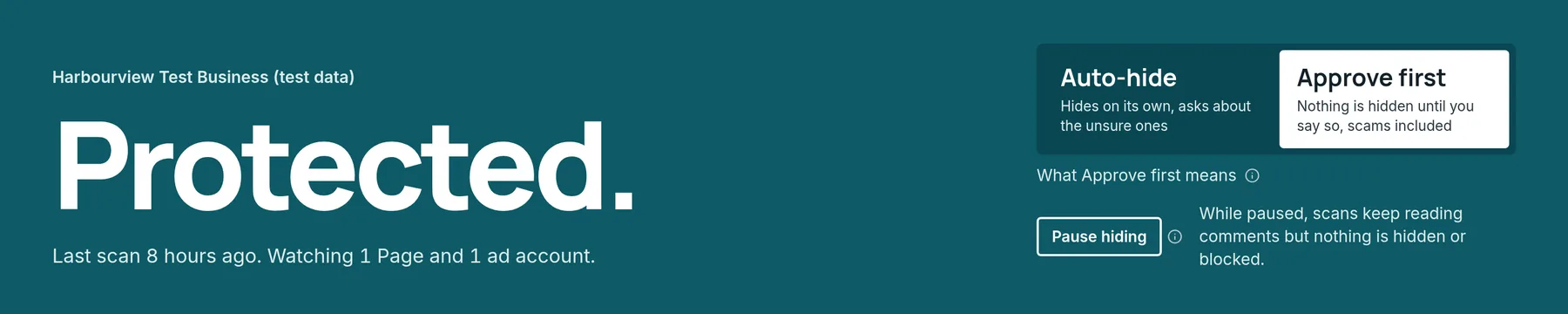
Negatives are hidden on both Facebook and Instagram: straight away in Auto-hide, or once you approve them in Approve first, which is where every new client starts. Delete and AI replies only run if you switch them on. Every decision goes into a log so a comment is never processed twice, and any hide can be undone in one click.
6. It keeps checking
On every paid plan, CommentHide checks for new comments several times a day, around the clock, so negatives do not sit there for long. Real-time hiding, which checks a comment as soon as Meta reports it, is built and will switch on once Meta approves it. You can pause hiding at any time.
What CommentHide never does
- It never deletes a comment unless you switch deleting on.
- It never hides an ambiguous comment automatically unless you switch on strict mode, which hides every new comment until a person keeps it. Otherwise those go to review.
- It never hides a price or booking question unless the same comment is also clearly negative, or strict mode is on.
- It never replies to anyone unless you switch replies on.
- It never switches Approve first to automatic hiding without asking you.
Questions
Does CommentHide delete comments?
Only if you switch deleting on. It hides by default, because hiding can be undone in one click and deleting can’t. No rule, preset or scan ever deletes a comment.
Which ads does it check?
Every live ad, plus ads paused or edited in the last 14 days. That includes dark posts, carousels, Reels and Stories, and the Instagram media behind each ad.
How quickly are negative comments hidden?
On every paid plan, new comments are checked several times a day, around the clock, and negatives are hidden as soon as a check finds them, unless you use Approve first. The Free plan is checked once a week. Real-time hiding, which checks a comment as soon as Meta reports it, is built and will switch on once Meta approves it.
Can I approve comments before anything is hidden?
Yes. Switch the account to Approve first and negative comments wait for you to choose Hide or Keep. How Approve first and dry runs work.
Comparing tools? See how CommentHide compares, browse all features or check pricing.
Want your ad comments cleaned up automatically? Connect your Facebook and Instagram ad accounts and the first scan runs straight away.