A dark post is an ad post that never appears on your Page’s timeline. It still collects public comments, and everyone who sees the ad sees them. CommentHide finds the post behind every ad, so those comments are read and moderated like any other.
What a dark post is
When you create an ad in Ads Manager without picking an existing post, Facebook makes a new post just for that ad. Meta calls it an unpublished post. It never shows up on your Page or your Instagram grid, but anyone who is shown the ad, or who it is shared with, can see it. It has its own likes, shares and comments.
Why owners miss them
Businesses often run many ads, including duplicates and copies for testing. Each can sit on its own post. Because none of them show on the Page, the comments are easy to miss in the normal app, and a scam or complaint can sit under an ad for days while you keep paying to show it.
How to find dark post comments by hand
- Open Ads Manager and select the ad.
- Open the ad preview and choose the option to view the Facebook post with comments. For Instagram placements, choose the Instagram post instead.
- Read and moderate the comments, then repeat for the next ad.
This works, but it is one ad at a time, and ads you paused last week still collect comments. Meta Business Suite’s inbox can also show ad comments, but duplicates and paused ads are easy to miss there. More ways to find comments on Facebook ads.
How CommentHide covers them
CommentHide starts from your ads, not your Page. For each live ad, and each ad paused or edited in the last 14 days, it looks up the Facebook post and Instagram media behind it and reads every comment and reply. That covers feed ads, carousels, Reels and Stories.
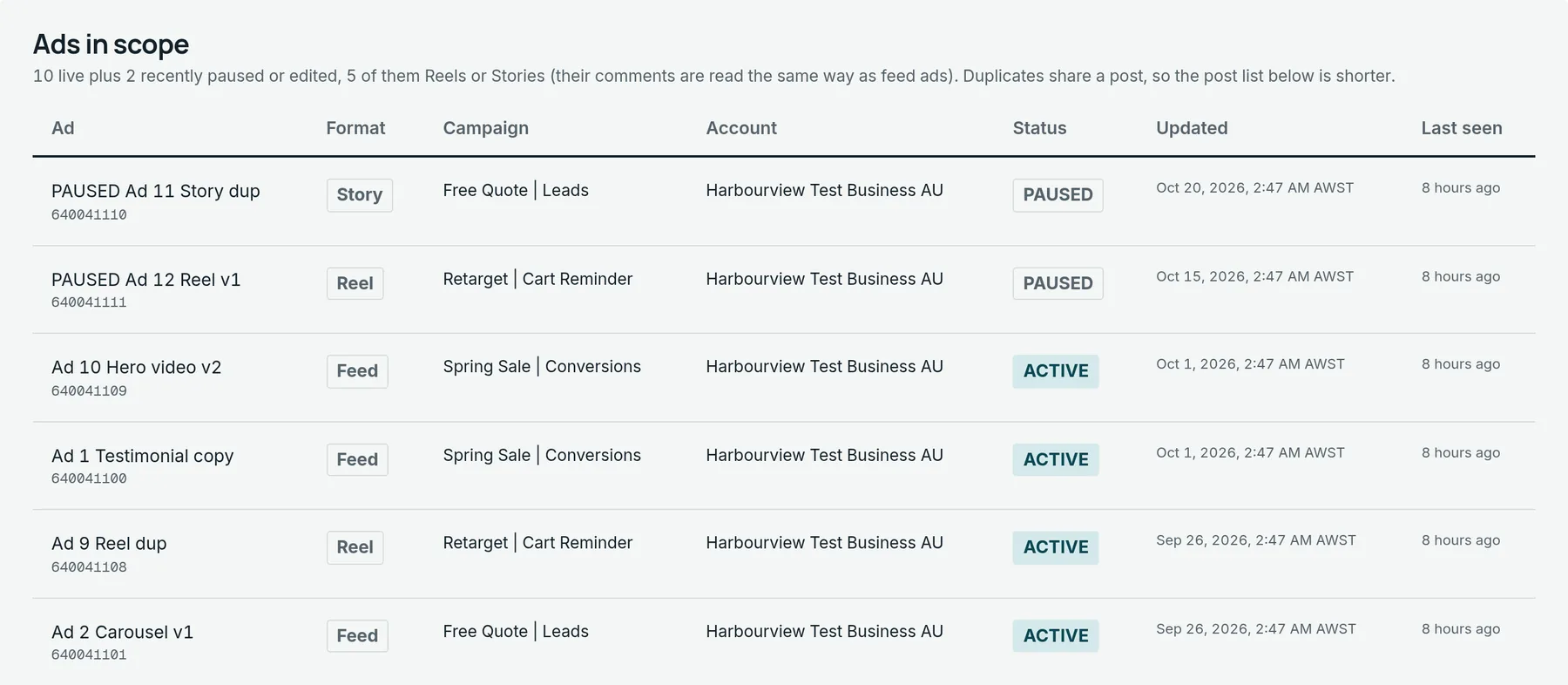
Negative comments are hidden on Facebook and Instagram, questions and leads are kept, and anything unclear goes to review.
Where coverage has gaps
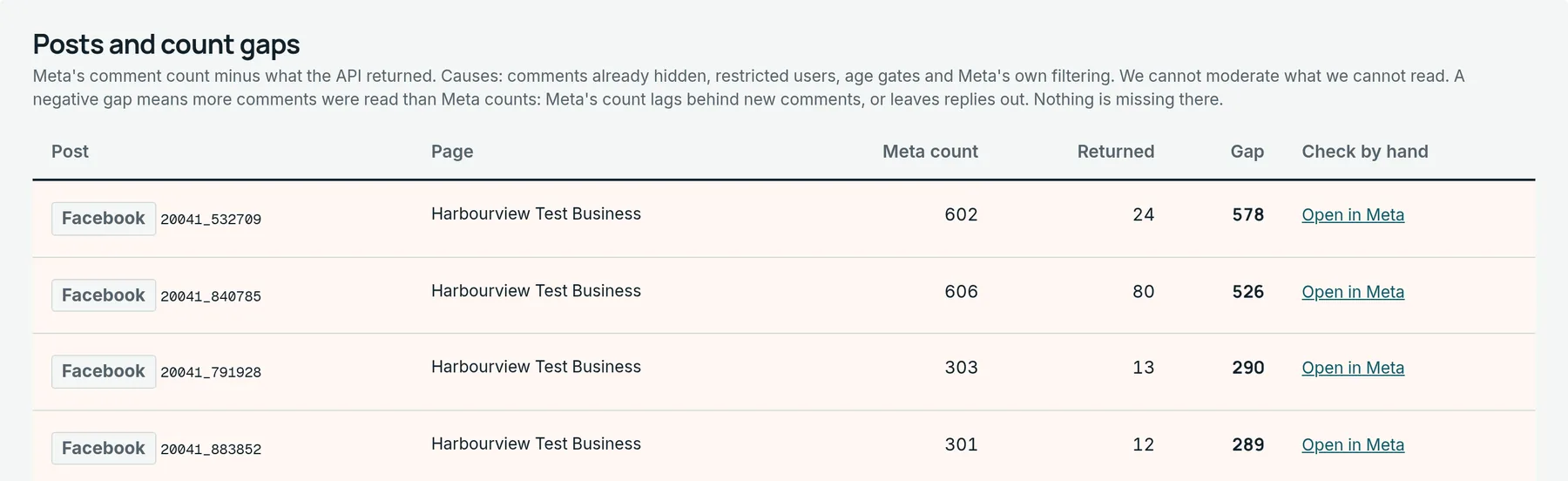
Meta doesn’t return every comment through its API. On some posts the comment count Meta shows is higher than the number of comments it hands over, for example comments that are already hidden, come from restricted users or were filtered by Meta. CommentHide can’t moderate what Meta doesn’t return, so the coverage page shows the gap for each post instead of hiding it. How to check your coverage.
Questions
What is a dark post on Facebook?
An ad post that is created in Ads Manager and never published to your Page’s timeline. Meta calls it an unpublished post. People who are shown the ad, or who it is shared with, see it along with its comments.
Can people see comments on dark posts?
Yes. Everyone who is shown the ad sees its comments, and can reply to them. The comments are public. The post just isn’t on your Page.
How do I find comments on my dark posts?
In Ads Manager, open each ad and use the preview’s option to view the Facebook post or Instagram post with comments. Meta Business Suite’s inbox can also show ad comments, but older and paused ads are easy to miss there.
Does CommentHide cover paused ads?
Yes. It checks every live ad plus ads paused or edited in the last 14 days, because their posts can still collect comments.
See also
Want your ad comments cleaned up automatically? Connect your Facebook and Instagram ad accounts and the first scan runs straight away.