The best tool for ad comments depends on the job. Meta’s free tools suit basic keyword hiding. NapoleonCat suits teams managing many networks from one inbox. CommentGuard prices by comment volume. CommentHide is a comment moderation tool for Facebook and Instagram ads, including dark posts. It hides harmful comments and keeps price questions.
Disclosure: CommentHide makes this comparison and sells one of the tools in it. We only list facts we could check on each company’s public pages on 24 October 2026, and we link every source. Where a page doesn’t say, the cell says “Not stated publicly”. CommentHide is built on Meta’s official Graph API. Meta App Review submitted October 2026; approval pending.
At a glance
| Feature | Moderation Assist | Hidden Words | NapoleonCat | CommentGuard | CommentHide |
|---|---|---|---|---|---|
| Facebook ads | Yes | No | Yes | Yes | Yes |
| Instagram ads | No | Not stated | Yes | Yes | Yes |
| Dark posts | Not stated | Not stated | Yes, last 30 days | Not stated | Yes |
| Hide or delete | Hide | Hide | Hide, delete, block | Hide or delete | Hide; delete is opt-in |
| Review queue | Activity Log | Not stated | Social Inbox | Hide all, then review | Yes |
| Agency support | Not stated | Not stated | Workspace per client | Unlimited pages and users | 15 or 40 brands |
| Starting price | Free | Free | $79/mo | $29/mo | Free; paid from $29 |
| Checked | 24 Oct 2026 | 24 Oct 2026 | 24 Oct 2026 | 24 Oct 2026 | 24 Oct 2026 |
“Not stated” means the company’s public pages don’t say. Prices are in USD per month as shown on 24 October 2026.
Each tool in detail
Meta Moderation Assist (Facebook)
- Best for: Facebook Pages that want free, basic hiding by keyword, link, image or signs about the commenter.
- Facebook ads: Yes. Meta says it hides comments on “ads that you run”.
- Instagram ads: No. Facebook only.
- Dark posts: Not stated publicly.
- Hide or delete: Hides. You can undo from the Activity Log.
- Review queue: Not stated publicly. Hidden comments are listed in the Activity Log.
- Agency support: Not stated publicly.
- Public price: Free.
- Limitations: Only comments made after you set it up. Matches criteria, not meaning, so a keyword like “how much” would hide buying questions too. The commenter and their friends still see a hidden comment.
- Sources, checked 24 October 2026: Meta Business Help Center.
Instagram Hidden Words
- Best for: Instagram accounts that want free filtering of offensive words and their own word list.
- Facebook ads: No. Instagram only.
- Instagram ads: Not stated publicly. Custom words apply to “posts you share”.
- Dark posts: Not stated publicly.
- Hide or delete: Hides.
- Review queue: Not stated publicly for automatic hiding.
- Agency support: Not stated publicly.
- Public price: Free.
- Limitations: Instagram only. Works from word lists.
- Sources, checked 24 October 2026: Instagram Help Center.
NapoleonCat
- Best for: Teams that manage many social networks from one inbox and want moderation alongside it.
- Facebook ads: Yes.
- Instagram ads: Yes.
- Dark posts: Yes. Its help center lists dark post comments for posts from the last 30 days.
- Hide or delete: Hide, delete and block user on Facebook; hide and delete on Instagram.
- Review queue: Social Inbox where comments can be flagged and assigned to a teammate.
- Agency support: Yes. An agencies page describes a separate workspace per client.
- Public price: Standard from $79/mo, Pro $89/mo, Expert from $119/mo, Enterprise from $465/mo (USD, excluding VAT). Auto-moderation needs Expert. 14-day trial, no card.
- Limitations: Rules apply only to new interactions after you set them up. Auto-moderation needs the Expert plan.
- Sources, checked 24 October 2026: pricing, ads auto-moderation help article, Social Inbox guide, agencies page.
CommentGuard
- Best for: Facebook and Instagram pages and ads that want AI hiding and AI replies, priced by comment volume.
- Facebook ads: Yes.
- Instagram ads: Yes, including stories and reels.
- Dark posts: Not stated publicly. It says it covers ads and sponsored page posts.
- Hide or delete: Hides, or deletes in its delete mode.
- Review queue: A “Hide all comments” setting hides new comments until you review and unhide them.
- Agency support: Unlimited pages and team members on every plan, with admin, manager and moderator access levels.
- Public price: $29/mo for up to 5,000 comments, $49 for 10,000, $99 for 25,000, $199 for 50,000. 7-day trial, no card.
- Limitations: Processes new comments only, not comments from before you connect a page. Price depends on comment volume.
- Sources, checked 24 October 2026: pricing, home page and FAQ.
CommentHide
- Best for: Businesses and agencies whose main comment problem is Facebook and Instagram ads, including dark posts.
- Facebook ads: Yes.
- Instagram ads: Yes.
- Dark posts: Yes. CommentHide starts from your ads, so ad-only posts are included.
- Hide or delete: Hides by default. Deletes only if you switch it on.
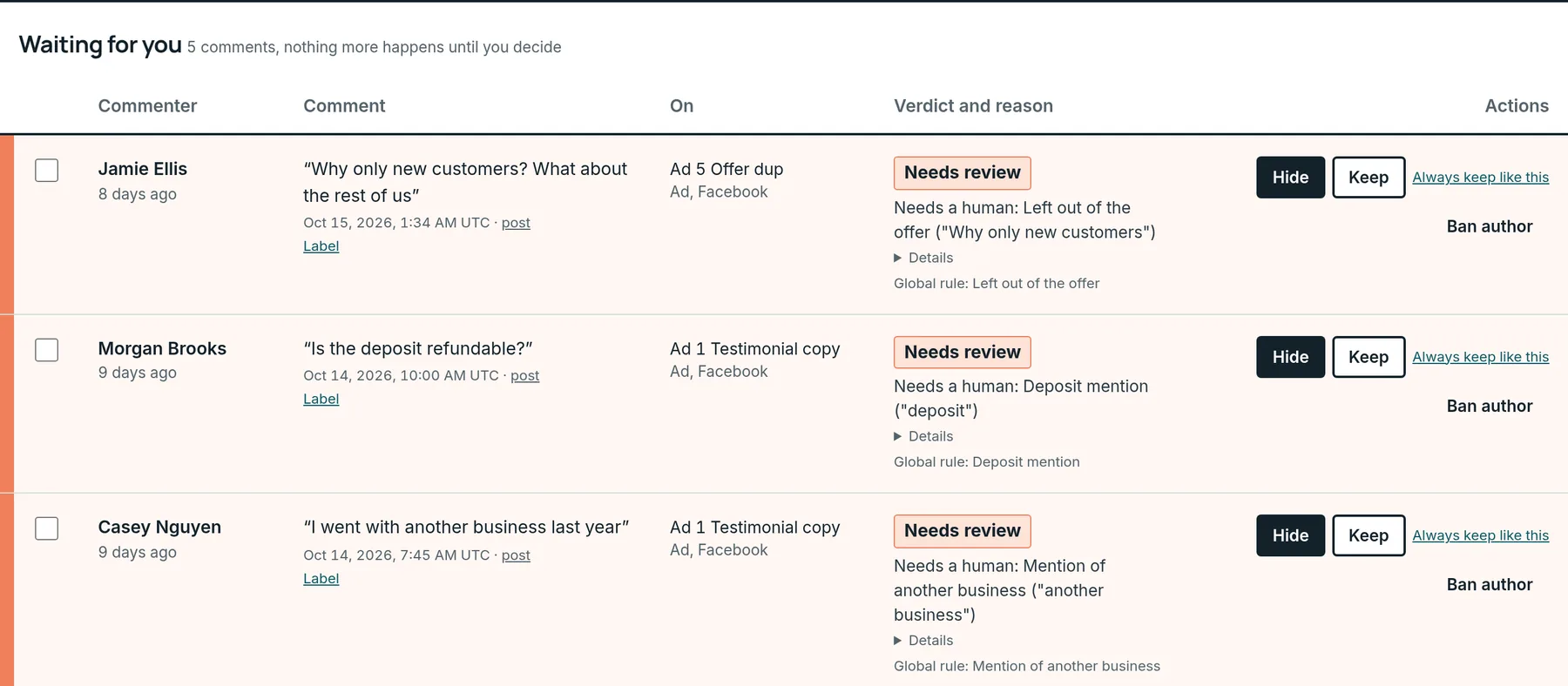
- Review queue: Yes. Unsure comments wait for a person to decide.
- Agency support: Agency plans: 15 brands for $199/mo or 40 brands for $399/mo. Unlimited users on every paid plan.
- Public price: Free plan (1 brand, weekly scan). Starter $29 and Pro $69 per brand per month. Agency $199/mo for 15 brands. 14-day trial on Pro, 30 days on Agency.
- Limitations: Facebook and Instagram only. Can’t act on comments Meta’s API doesn’t return. Meta App Review submitted October 2026; approval pending.
- Sources, checked 24 October 2026: pricing, how it works.
How to choose
- You want something free and basic: start with Meta’s Moderation Assist on Facebook and Hidden Words on Instagram.
- You manage every social network in one place: a suite like NapoleonCat makes sense.
- You want AI replies and are happy to pay by comment volume: look at CommentGuard.
- You mainly need Facebook and Instagram ad comments kept clean, including dark posts, without hiding leads: that’s where CommentHide fits.
Other tools, such as Statusbrew, BrandBastion, MyComments.io, Rypl, ReplyZen, Brandwise, Smart Moderation and Engageefy, also moderate comments. We haven’t rechecked them for this update, so they aren’t in the table.
What CommentHide does differently
- Leads stay up. Price and booking questions are kept, even when they sound blunt.
- Unsure means review. Ambiguous comments go to a review list instead of being hidden automatically. The exception is strict mode, which, if you switch it on, hides every new comment until a person keeps it.
- Hides by default, with an audit log. Delete and AI replies only run if you switch them on, and every action has a reason in the log.
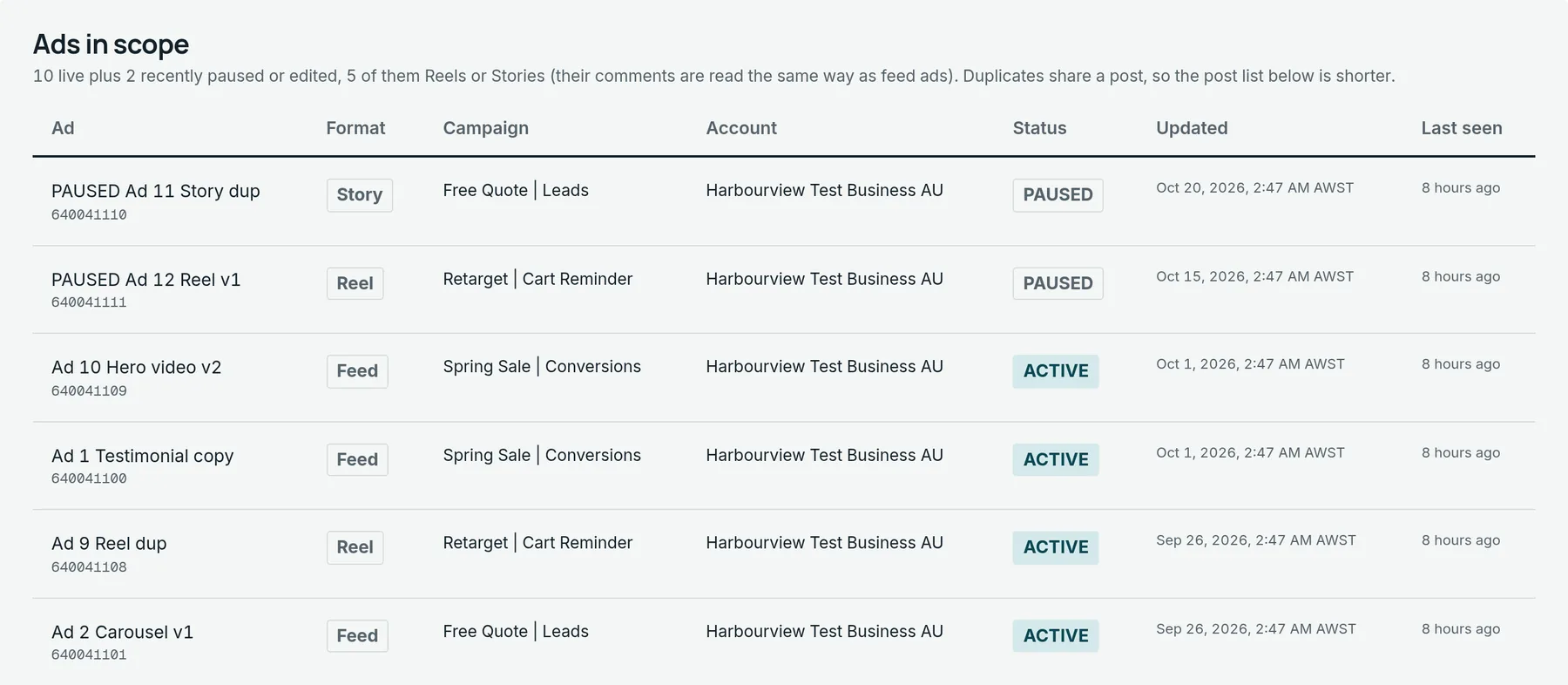
- Recently paused ads included. Ads paused or edited in the last 14 days are still checked.
Here is what CommentHide looks like on a test business:
Detailed comparisons
- NapoleonCat alternative
- CommentGuard alternative
- CommentHide vs Meta Moderation Assist (Facebook’s free built-in tool)
Frequently asked questions
What is the best free tool to hide comments on Facebook ads?
Meta’s Moderation Assist is free and hides new comments on your Page, profile or ads that you run, based on links, images, keywords, profanity or signs about the commenter. It matches criteria rather than reading meaning, and only works on comments made after you set it up.
Which tools moderate comments on Instagram ads?
Of the tools in this table, NapoleonCat, CommentGuard and CommentHide say they moderate Instagram ad comments. Instagram’s own Hidden Words setting hides offensive words and your custom words in comments on posts you share, but its help page doesn’t say whether that includes ads.
Do these tools hide comments on dark posts?
CommentHide starts from your ads, so dark posts, which are ad posts that never appear on your Page, are included. NapoleonCat’s help center lists dark post comments for posts from the last 30 days. The other pages we checked on 24 October 2026 don’t mention dark posts by name.
How did you check these facts?
We read each company’s public pricing, product and help pages on 24 October 2026 and link them below the table. If a page didn’t say something, the cell says not stated publicly. Prices and features change, so check the vendor’s site before deciding.
How we compare: competitor details come from each company’s public website, checked on 24 October 2026. Features and prices change, so check their site before deciding, and tell us if something here is out of date.
Want your ad comments cleaned up automatically? Connect your Facebook and Instagram ad accounts and the first scan runs straight away.