Unlimited users on every plan, with roles that keep everyone in their lane. Agencies get everything they need to run many clients from one login.
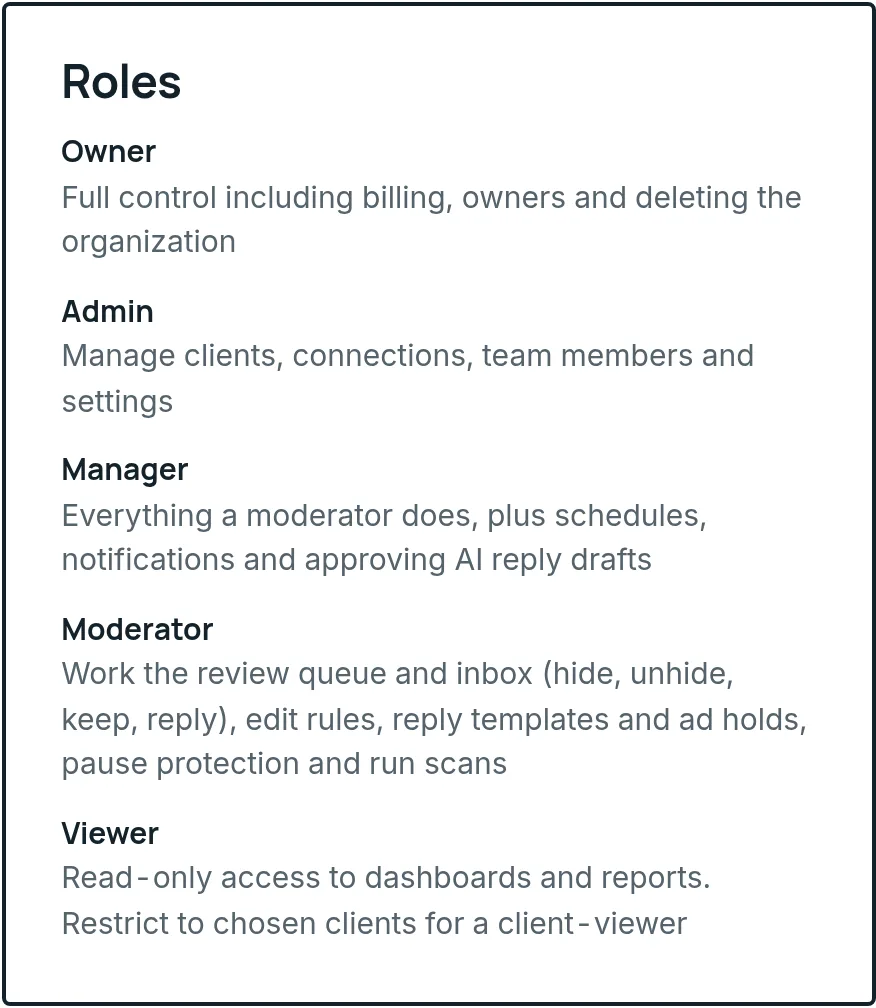
Five roles
- Owner: full control, including billing and deleting the organization.
- Admin: clients, connections, team and settings.
- Manager: rules, schedules and notifications, approves AI drafts and runs scans.
- Moderator: works the review queue and inbox.
- Viewer: read-only dashboards and reports.
Client access
Limit managers, moderators and viewers to chosen clients and Pages. A viewer limited to one client is a client login: they see their own results and nothing else.

Built for agencies
- Switch clients from the sidebar. Each client has its own Facebook connection, preset, rules, schedule and notifications.
- Adding a client is quick.
- Connect links let a client connect their own Facebook and Instagram, with no passwords and no Business Manager access requests. Links work once and last 14 days.
- Copy this rule set to other clients in one go. Each client can roll back.
- White-label client reports.
- Agencies with their own reviewed Meta app can use it instead of ours.
- API on Agency: keys per client with read or hide and unhide access, and an OpenAPI description. Outgoing webhooks are coming soon.
- MCP server on Agency: let an AI assistant read your comments, hides, reports and protected ads. It is read only.

Team inbox
On Pro and up, assign inbox comments to a teammate, label them and mark them done.

Secure sign-in
Two-factor sign-in with an authenticator app and recovery codes, sessions you can sign out everywhere, and every change in the activity log. On Agency Scale, single sign-on with SAML or OpenID Connect lets your team sign in with your company account; owners can still use their password and two-factor sign-in.
How-to: invite your team, add a client, send a connect link.
Want your ad comments cleaned up automatically? Connect your Facebook and Instagram ad accounts and the first scan runs straight away.