Help center / Rules and presets
A preset is a starting rule set for your industry. Your own phrases always sit on top and are kept when you change preset.
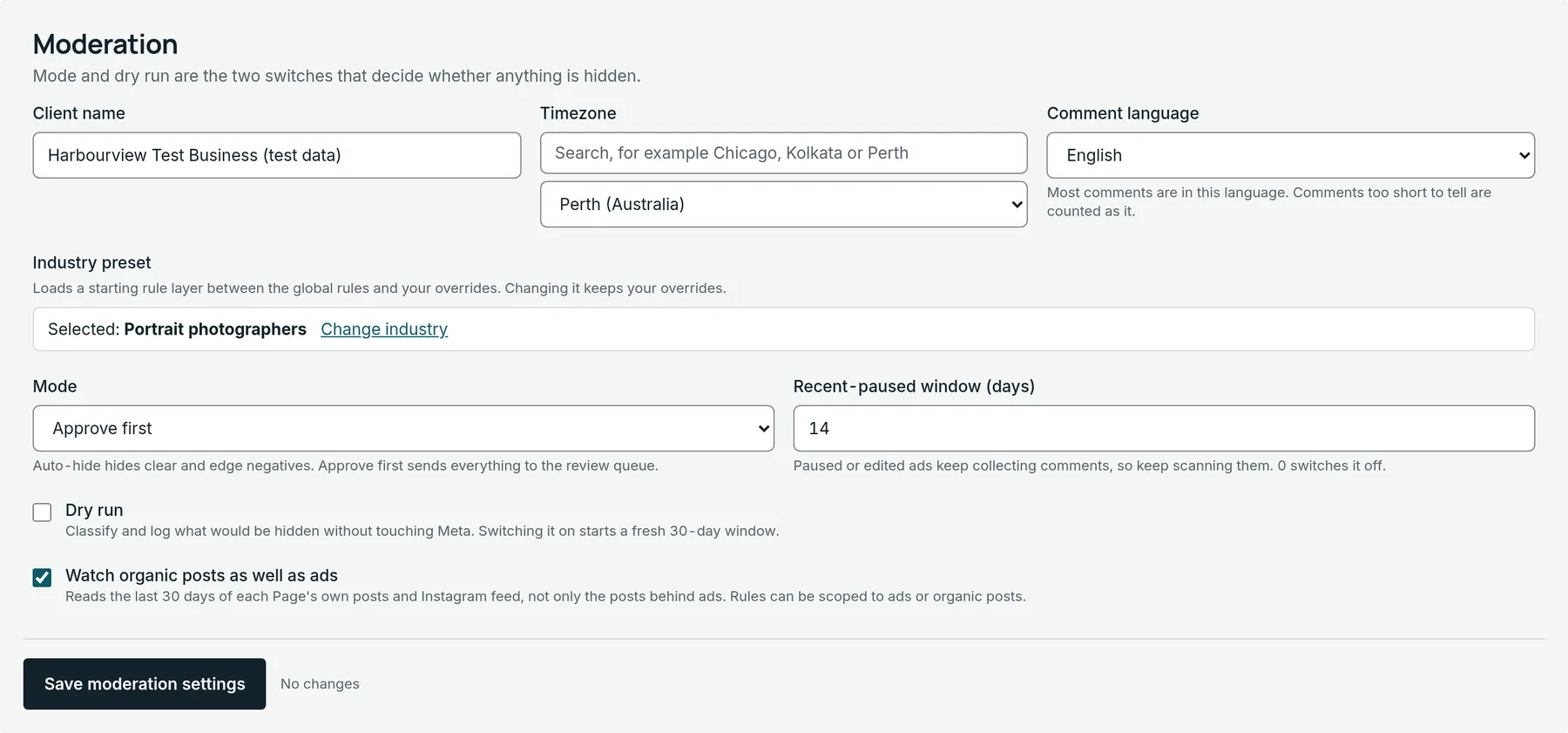
Steps
- Open Client and brand under Settings.
- Choose an Industry preset, such as Ecommerce brands, Home services or Restaurants and hospitality. Not sure? Pick General (any business).
- Check the Mode: Auto-hide or Approve first.
- Choose Save moderation settings.
- Open Rules to see the preset rules and add your own.
Related articles
- Add block, keep and review phrases
- Test and simulate rules before you save
- Roll back a rule change
- Set your scan schedule
Screenshots show the dashboard with sample data and may differ slightly from what you see.
Still stuck? Browse the help center or contact us.