Help center / Rules and presets
By default CommentHide scans twice a day at times chosen from when comments arrive. You can change that.
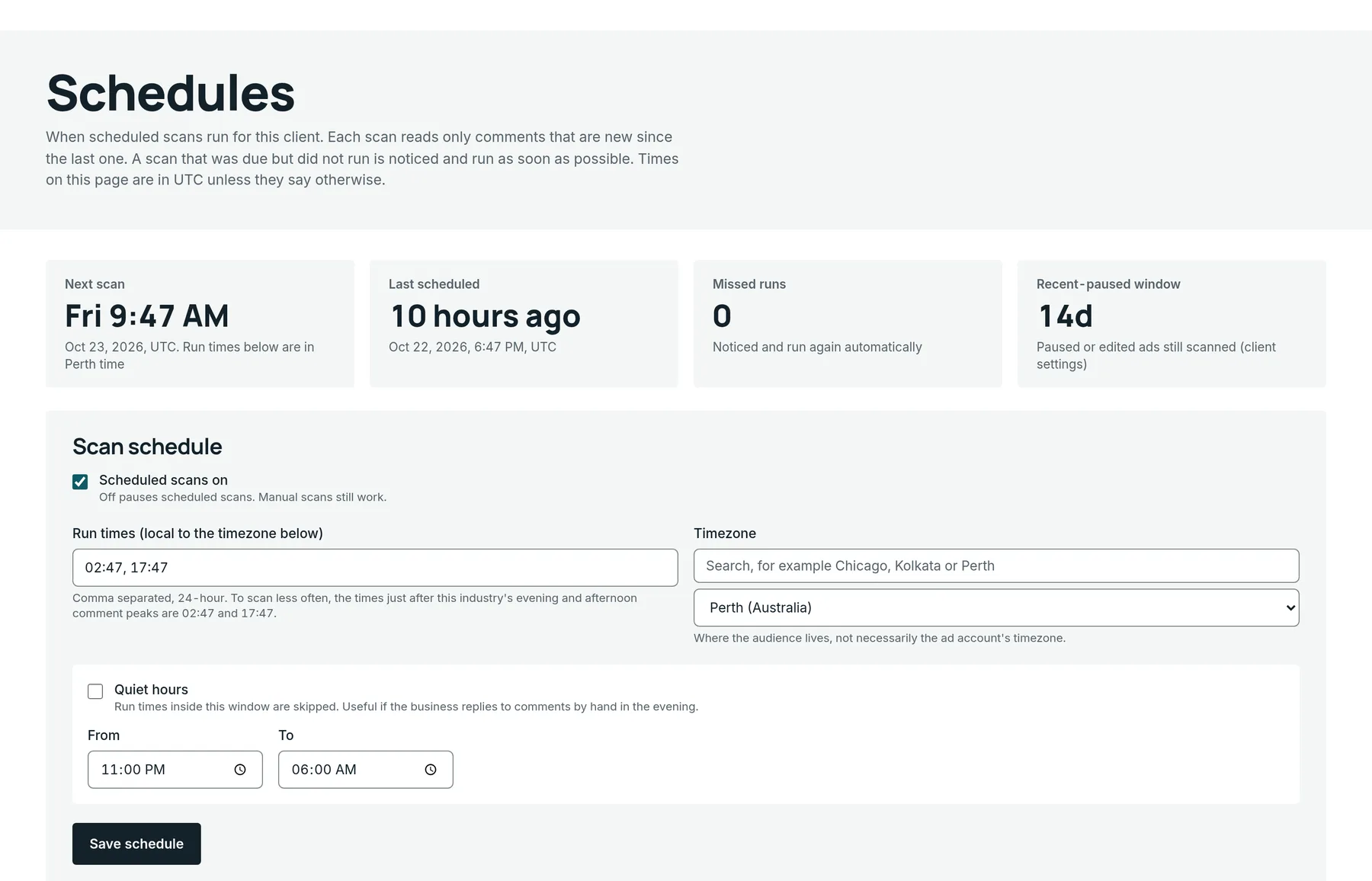
Steps
- Open Schedules in the sidebar.
- Keep Scheduled scans on ticked.
- Enter Run times, comma separated in 24-hour time.
- Choose the Timezone where your audience lives.
- Optionally set Quiet hours to skip scans while you reply by hand.
- Choose Save schedule.
Missed scans are detected and caught up automatically. You can always choose Run scan now on the overview.
Related articles
- Choose an industry preset
- Add block, keep and review phrases
- Test and simulate rules before you save
- Roll back a rule change
Screenshots show the dashboard with sample data and may differ slightly from what you see.
Still stuck? Browse the help center or contact us.