Help center / Rules and presets
Your own phrases are the client override layer. They beat the preset and the global rules.
Steps
- Open Rules.
- Choose Add block phrases, Add keep phrases or Add review phrases.
- Type one phrase per line and give the rule a short name.
- Tick Fuzzy to catch spaced-out and misspelled versions.
- Open Where and when it applies to limit it to certain Pages, campaigns, ads or times.
- Write what changed and why, then choose Save as the new version.
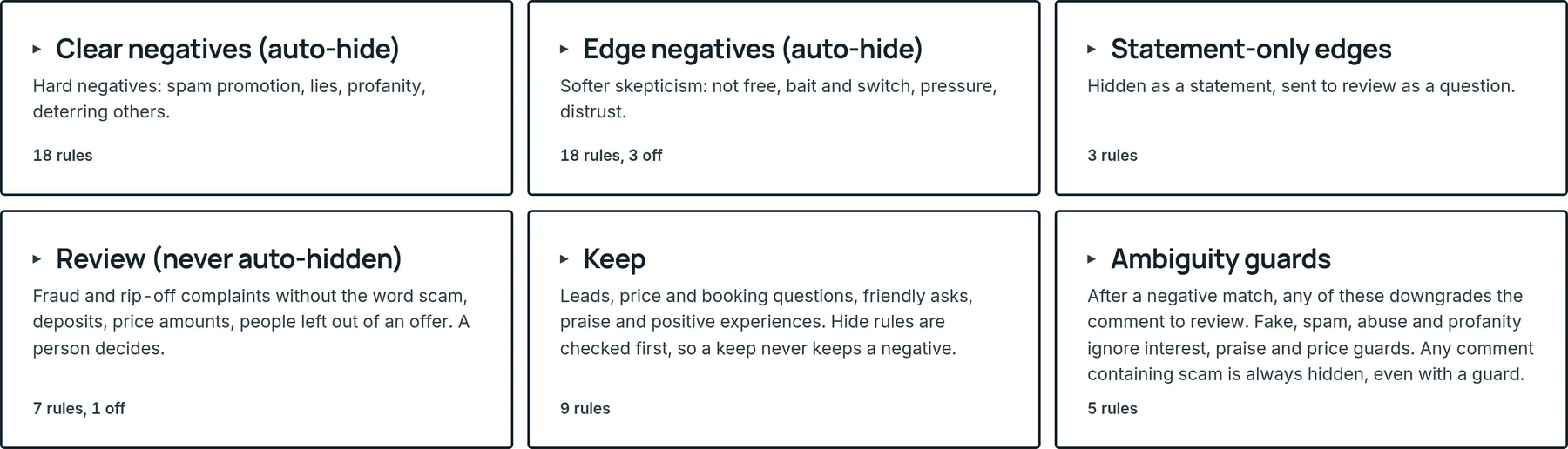
Keep phrases win over most negative rules (scam, fake, spam, abuse and profanity signals, and any Filters switch you turn on, still hide). Use them for things like “payment plan” or “gift card” that should never be hidden. You can also add competitor names in the Competitor names box, or describe a rule in a sentence with Add plain-English rule.
Related articles
- Choose an industry preset
- Test and simulate rules before you save
- Roll back a rule change
- Set your scan schedule
Screenshots show the dashboard with sample data and may differ slightly from what you see.
Still stuck? Browse the help center or contact us.