Quick answer: open the comment, select the three-dot menu and choose Hide. For ad comments you’ll often need to open the ad’s post from Ads Manager first, because many ads run on dark posts that aren’t on your Page.
Hide a single comment
- In Ads Manager, open the ad and use the preview’s option to view the Facebook post with comments.
- Find the comment, select the three dots next to it.
- Choose Hide comment.
What hiding does
A hidden Facebook comment is still visible to the person who wrote it and their friends, and hidden from everyone else. You can unhide it later. Deleting removes it for everyone and can’t be undone.
Hide, delete or ban: which to use
| Action | Who still sees it | Undo? | Best for |
|---|---|---|---|
| Hide | The writer and their friends | Yes, unhide | Spam, scams, insults and off-topic complaints on ads |
| Delete | No one | No | Comments you never want back, once you are sure |
| Ban | Their old comments stay unless you hide them | Yes, unban | Repeat offenders and spam accounts on your Page |
Hiding is the safe default for ads: the writer rarely notices, so there is less chance of an argument, and nothing is lost if you change your mind. See how to ban someone from a Facebook Page.
How to see hidden comments
As the Page owner you can still see comments you have hidden. Open the post with comments (for ads, through the ad preview in Ads Manager) and hidden comments show with an option to unhide them. They stay hidden from the public until you do.
Hide comments by keyword
- Go to your Page’s settings and find the moderation or keyword filter section.
- Add the words and phrases you want hidden.
- Save. New comments containing them are hidden automatically.
Keyword filters match exact words, so they miss rephrasing and can catch innocent comments.
Hide negative comments automatically
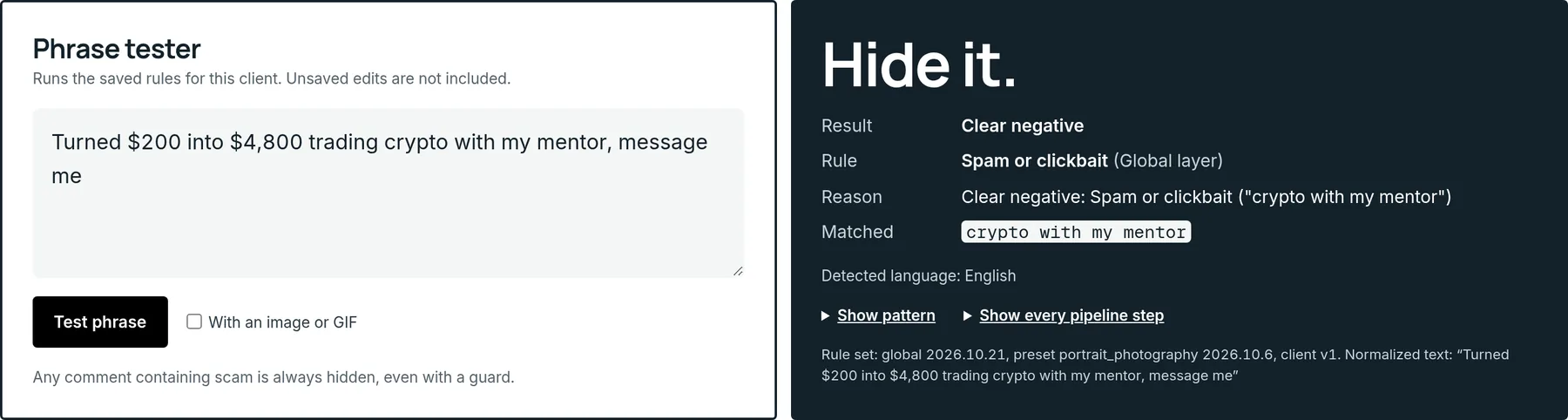
CommentHide finds the post behind every ad, including dark posts, reads each comment and hides only the negative ones. It checks each comment against rules built for your industry plus your own phrases, so it catches more than a simple keyword list.
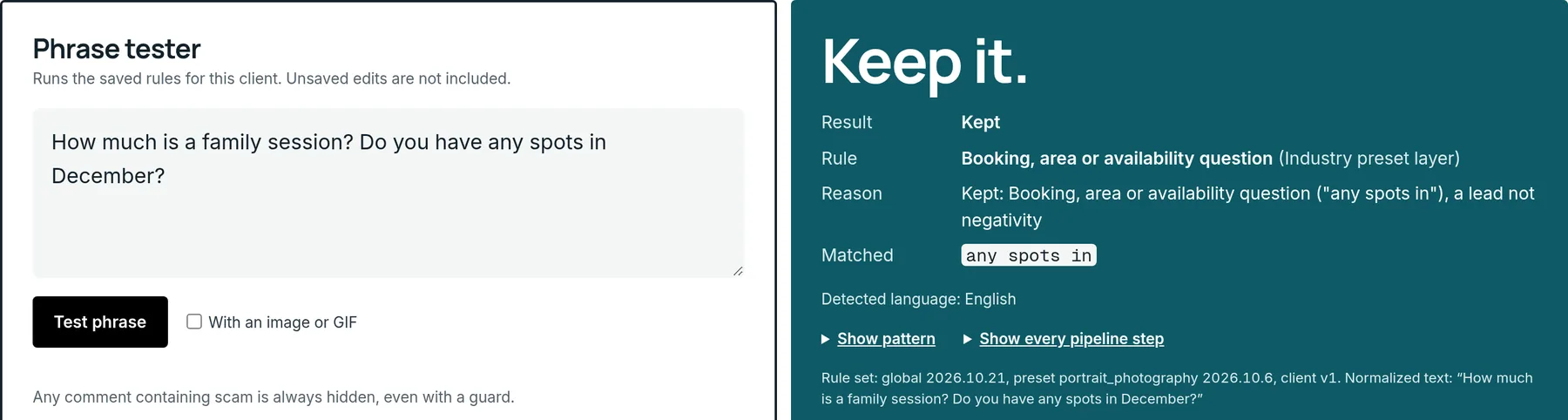
Price questions and booking questions are kept, because they are buying signals.
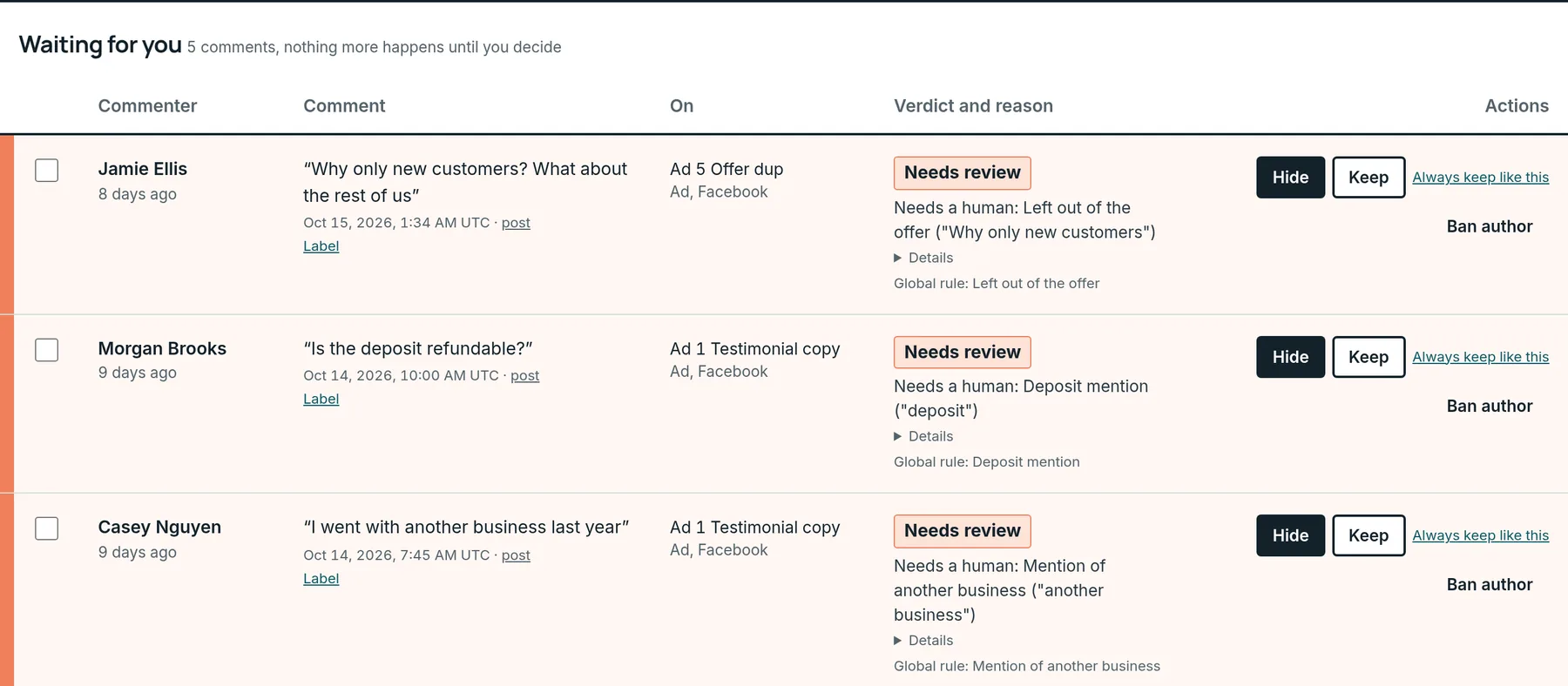
Anything ambiguous goes to a review queue instead of being hidden, and you choose Hide or Keep. The exception is strict mode: if you switch it on, every new comment is hidden on arrival until you keep it.
Frequently asked questions
Can someone tell their comment was hidden?
Usually not. On Facebook a hidden comment is still visible to the person who wrote it and their friends, so it looks normal to them. Everyone else stops seeing it.
What is the difference between hiding and deleting a comment?
Hiding takes the comment out of public view and can be undone. Deleting removes it for everyone, including the writer, and can’t be undone. Hide vs delete in detail.
Can I unhide a comment later?
Yes. Open the comment on the post and choose Unhide. In CommentHide, every hidden comment is in the log and undo is one click.
Why can’t I find an ad comment on my Page?
Many ads run on dark posts, which never appear on your Page’s timeline. Open the ad in Ads Manager and view the post with comments instead. How to find comments on Facebook ads.
Does hiding work on Instagram ad comments too?
Yes. On Instagram a hidden comment is hidden from other people. See how to hide comments on Instagram ads.
See also: how to turn off comments on Facebook ads and our ad comment study.
Want your ad comments cleaned up automatically? Connect your Facebook and Instagram ad accounts and the first scan runs straight away.