Help center / Review queue and inbox
Quick answer: Open Review queue, read why each comment is waiting and the AI suggestion, then choose Hide or Keep. Use Always keep like this for similar comments next time, act in bulk when you need to, and export actions as CSV. Ambiguous comments stay here unless you turn on strict mode.
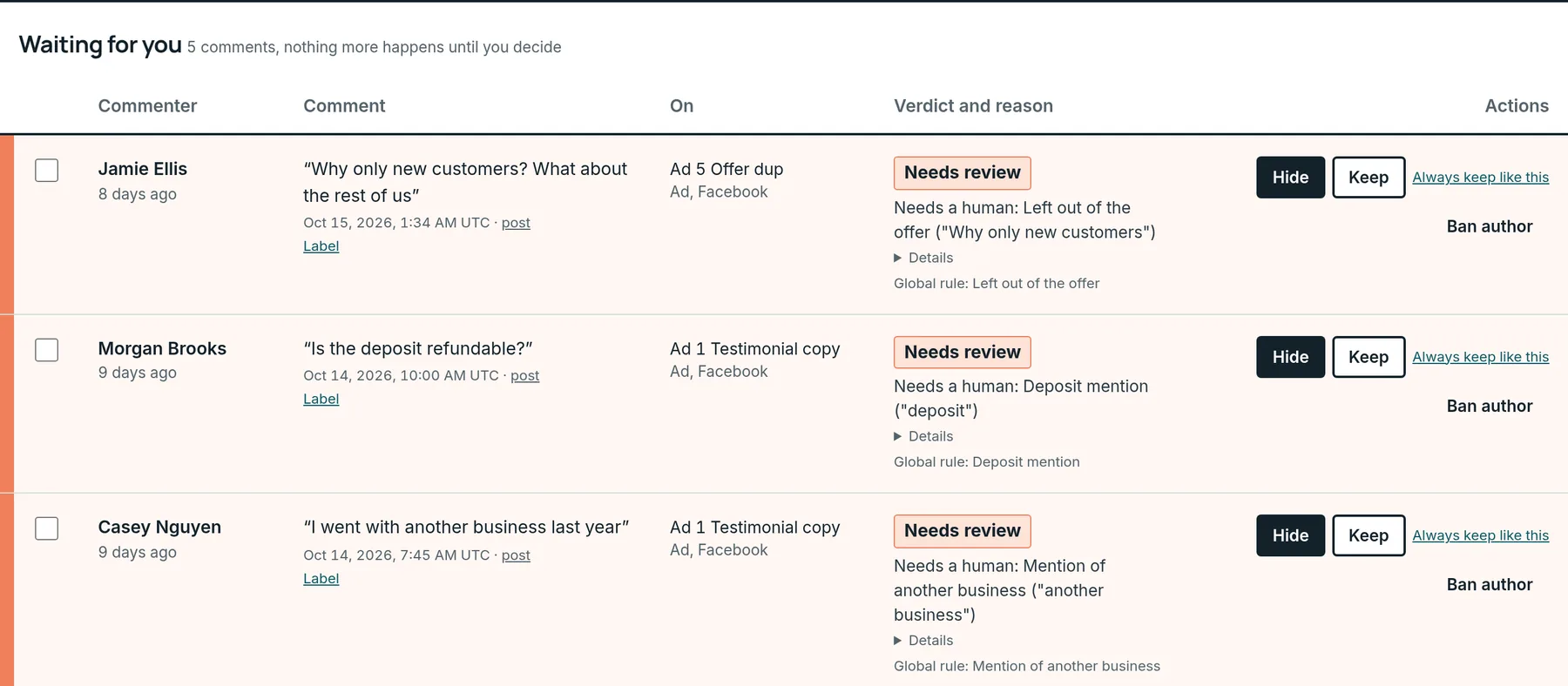
Steps
- Open Review queue in the sidebar.
- Read Why each comment is there and the AI suggestion.
- Choose Hide or Keep.
- Choose Always keep like this to keep similar comments in future.
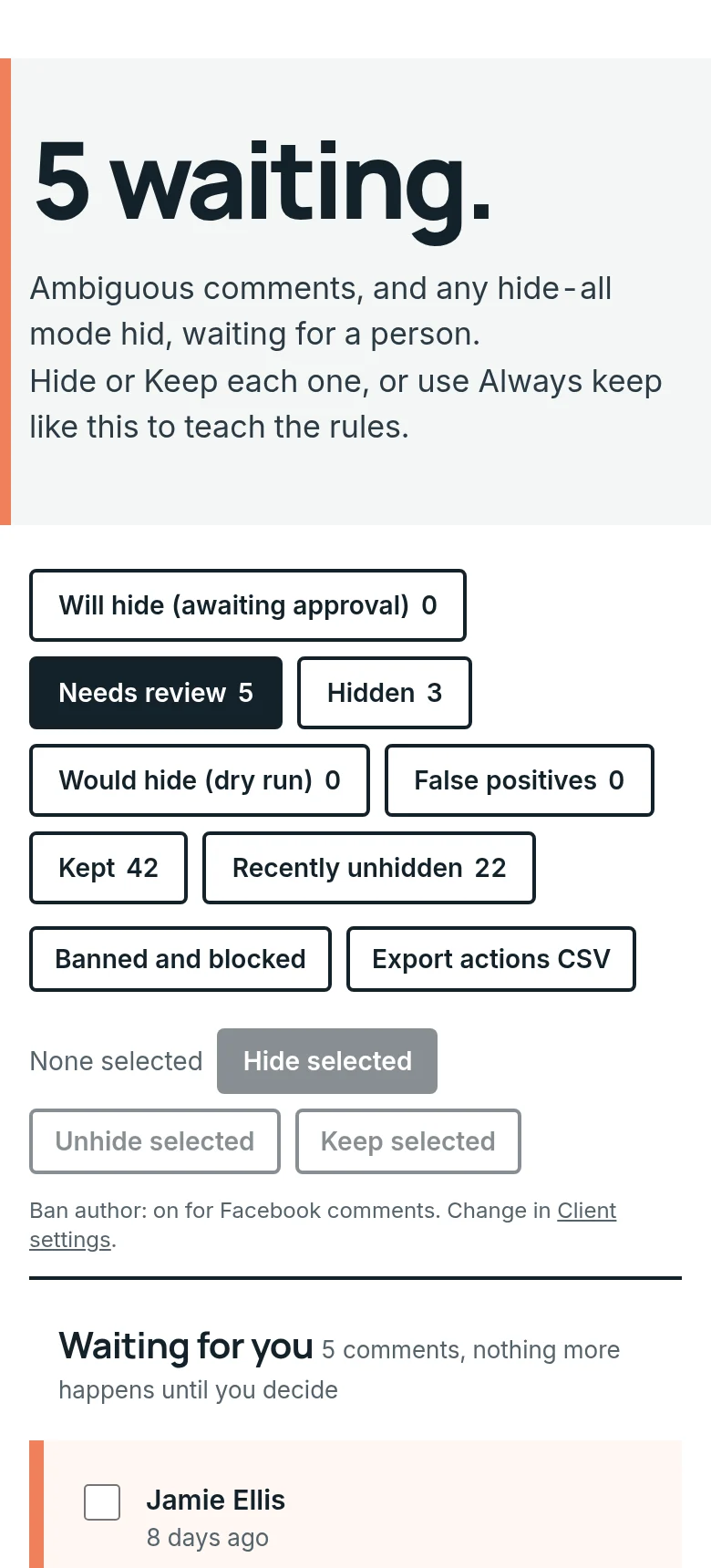
- To act on many, tick them and choose Hide selected, Unhide selected or Keep selected.
- Use Export actions CSV to keep a record.
Other tabs show Hidden, Would hide (dry run), False positives and Kept comments.
Frequently asked questions
Why do comments land in the review queue?
Ambiguous comments wait in the review queue because the rules will not hide them on their own unless strict mode is on. You choose Hide or Keep for each one, with the reason and an AI suggestion shown beside it.
What does Always keep like this do?
Always keep like this teaches CommentHide to keep similar comments in future, so price questions and other useful replies stay visible instead of returning to the queue.
Can I act on many comments at once?
Yes. Tick the comments you want and choose Hide selected, Unhide selected or Keep selected. Use Export actions CSV when you need a record for a client or audit.
What are the other review queue tabs?
Besides Needs review, the queue shows Hidden, Would hide (dry run), False positives and Kept comments so you can undo mistakes and check what Dry run would have done.
Does the review queue replace Auto-hide?
No. Auto-hide still runs on a schedule for clear matches. The review queue is for unsure comments. See undo hidden comments if a hide was wrong, and the features overview for how rules and the queue work together.
Related articles
- Undo hidden comments
- Use dry run, approve first and strict mode
- Turn on the inbox and AI replies
- Stop negative comments on Facebook ads
- CommentHide features
Screenshots show the dashboard with sample data and may differ slightly from what you see.
Still stuck? Browse the help center or contact us.