Quick answer: Sign up, add your business with an industry preset, connect Facebook and Instagram with Facebook Login for Business, then let the history scan read the last 30 days of ad comments. Check the review queue, choose Auto-hide or stay on Approve first, and CommentHide keeps checking several times a day on paid plans.
Steps
- Create your account at sign up and confirm your email address.
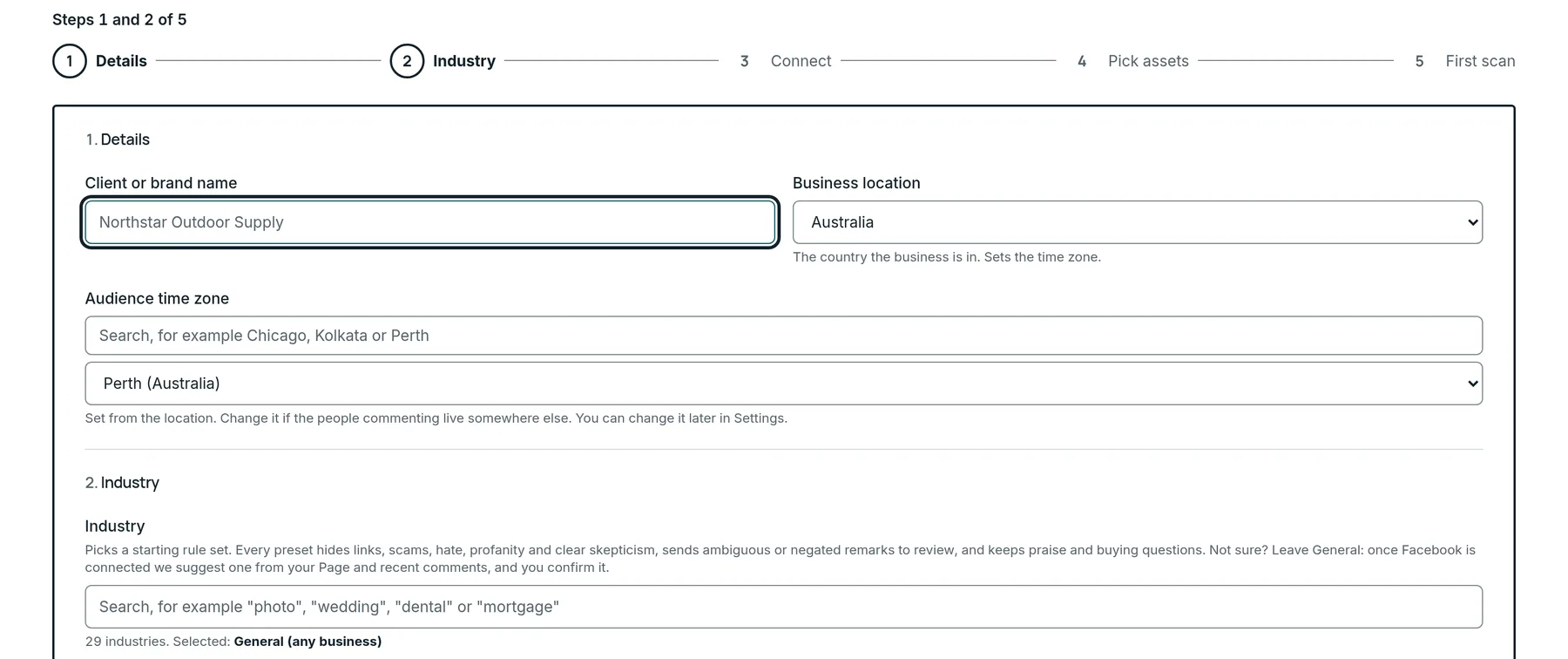
- Choose Add a client in the sidebar. Enter the Client or brand name, the Audience timezone (where the people commenting live) and pick an Industry.
- On Settings > Connections, choose Continue with Facebook and sign in. Every Page, Instagram account and ad account you allow is watched.
- The history scan reads the last 30 days of comments on your ads and shows what it would have hidden.
- Check the Review queue, then choose Auto-hide or stay on Approve first, where every new client starts. It runs on a schedule from now on.
Not ready for automatic hiding? Turn on Dry run to see what would be hidden without touching your comments. See dry run and approve first.
Frequently asked questions
How long does CommentHide setup take?
Most teams finish sign-up, add a client, connect Facebook and Instagram, and review the history scan in one sitting. The first scan reads the last 30 days of ad comments (up to 500) and shows what would have been hidden before you switch protection on.
Does the history scan hide comments?
No. The history scan only shows what CommentHide would have hidden. Nothing is hidden until you leave Dry run / Approve first and turn Auto-hide on (or approve items from the review queue).
Should I start on Auto-hide or Approve first?
Every new client starts on Approve first so you can check the review queue before automatic hides. Switch to Auto-hide when the queue looks right. Dry run lets you watch without touching live comments.
How often does CommentHide check for new comments?
On every paid plan CommentHide checks for new comments several times a day. Real-time hiding that reacts as soon as Meta reports a comment is built and will switch on once Meta approves it. Meta App Review was submitted October 2026; approval is pending.
Where can I learn the wider moderation options?
See the cornerstone guide on how to stop negative comments on Facebook ads, the Meta Business Suite how-to, and the CommentHide features overview for dark posts, Instagram ads and the review queue.
Related articles
- Connect Facebook and Instagram
- Work the review queue
- Understand the overview
- Stop negative comments on Facebook ads
- CommentHide features
Screenshots show the dashboard with sample data and may differ slightly from what you see.
Still stuck? Browse the help center or contact us.